
200+ compoundsin the Library
What you took. What’s next.
Your doses, schedule and reminders, kept on your iPhone.
Coming soon to the App Store
Sample data. The amounts are what a demo person entered, not advice.
Track what you already use
The Library covers 200+ compounds: peptides, GLP-1 medications, TRT and HRT medicines, and medicines such as finasteride, dutasteride and minoxidil. Find yours, add it, and log it with your own amounts. Each entry shows its status label, such as "FDA Approved" or "Not FDA-Approved".
- BPC-157
- GHK-Cu
- KPV
- Tesamorelin
- PT-141
- Epithalon
- DSIP
- Semax
- Cardiogen
- Larazotide
- Enclomiphene
- TB-500
- Snap-8
- LL-37
- Semaglutide
- Oxytocin
- Fox04-DRI
- Endoluten
- Selank
- Serelaxin
- BPC-157 Oral
- Anastrozole
- Cartalax
- Matrixyl
- TB4-Sulfoxide
- Tirzepatide
- Gonadorelin
- NAD+
- Melatonin
- Dihexa
- Apelin
- Octreotide
- Estradiol (patch)
- Chonluten
- Argireline
- Thymosin Alpha-1
- Liraglutide
- Triptorelin
- SS-31
- Cerebrolysin
- Vesugen
- Lanreotide
- Progesterone (oral)
- Ovagen
- AHK-Cu
- VIP
- Orforglipron
- Testagen
- Humanin
- Adamax
- B7-33
- Teduglutide
- DHEA
- Thymosin Beta-4 Oral
- Finasteride
- Thymalin
- Dulaglutide
- Prostamax
- Klotho
- N-Acetyl Selank
- Coenzyme Q10 (ubiquinone)
- Linaclotide
- Clomiphene
- TB4 Fragment (17-23)
- Dutasteride
- Vilon
- Exenatide
- Tadalafil
- Carnosine
- 5-HTP
- Ubiquinol
- Plecanatide
- Letrozole
- Teriparatide
- Minoxidil
- Bronchogen
- Lixisenatide
- Cetrorelix
- Glutathione
- Pinealon
- Exemestane
- Abaloparatide
- Spironolactone
- Thymagen
- Pegvisomant
- Ganirelix
- Humanin G
- PE-22-28
- Tamoxifen
- Calcitonin (salmon)
- Tretinoin (topical)
- Icatibant
- Pasireotide
- Nafarelin
- Livagen
- Cortagen
- Cabergoline
- Creatine
- Syn-Ake
- Thymulin
- Setmelanotide
- Buserelin
- N-Acetyl Epithalon Amidate
- Galantamine
- HMG (Menotropins)
- Collagen Peptides
- Crystagen
- L-Carnitine
- Leuprolide
- NMN
- P21
- Follitropin (FSH)
- Low-Dose Naltrexone
- Rapamycin
- Orexin-A
- Estradiol (oral)
- Metformin
- Methylene Blue
- Estradiol (gel/spray)
- NR (Nicotinamide Riboside)
- N-Acetyl Semax Amidate
- Estradiol (vaginal)
- Acarbose
- Cortexin
- Estradiol Valerate (injection)
- Noopept
- Estradiol Cypionate (injection)
- Bromantane
- Estriol
- Cyclic Glycine-Proline (cGP)
- Progesterone (vaginal/injection)
- Progesterone (cream)
- Pregnenolone
- 7-Keto-DHEA
- Desmopressin
Built for what you track
GLP-1 medications
Your injection log, with the route and site, reminders at your times, weight and check-ins.
Read morePeptides
Several compounds, routes and schedules, each logged with your own amounts.
Read moreTRT
Each injection with its route and site, reminders at your times, and records for appointments.
Read moreFinasteride, dutasteride and minoxidil
Log each one by mouth or on the skin, with reminders at your times.
Read moreWeight and check-ins
Your weight and body measurements (waist, hips, chest, upper arm, thigh and body fat %, in inches or cm), and a daily check-in of energy, mood, sleep and side effects.
Read moreYour Routine
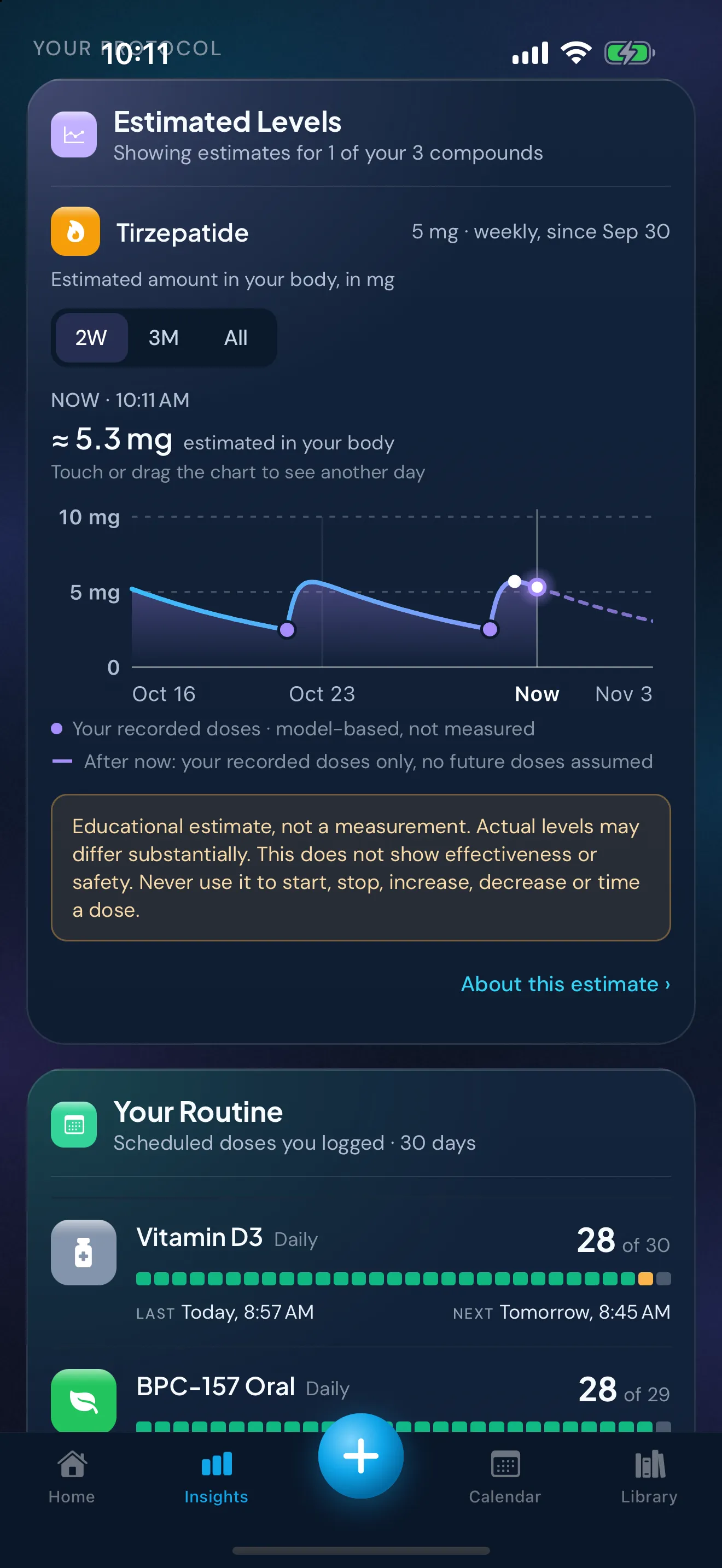
In Insights, how many of each schedule's doses you've logged.
Dose History
Every dose you've logged, newest first. Search it, or show one compound at a time.
Read moreInjection sites
A body map of where you've injected and how recently, from your own entries.
Read moreExport
Your records as CSV or JSON, for yourself or an appointment.
Read more
How it works
Add what you already take.
Find each compound you use in the Library and enter your own amounts.
Set your own schedule, or log by hand.
Enter the times and days you already follow to get reminders, or log each dose when you take it.
Log doses and how you feel, then review.
Record each dose and a daily check-in, then look back in Calendar, Dose History and Insights.
What Peptimes does
Your doses and everything around them, in one place.
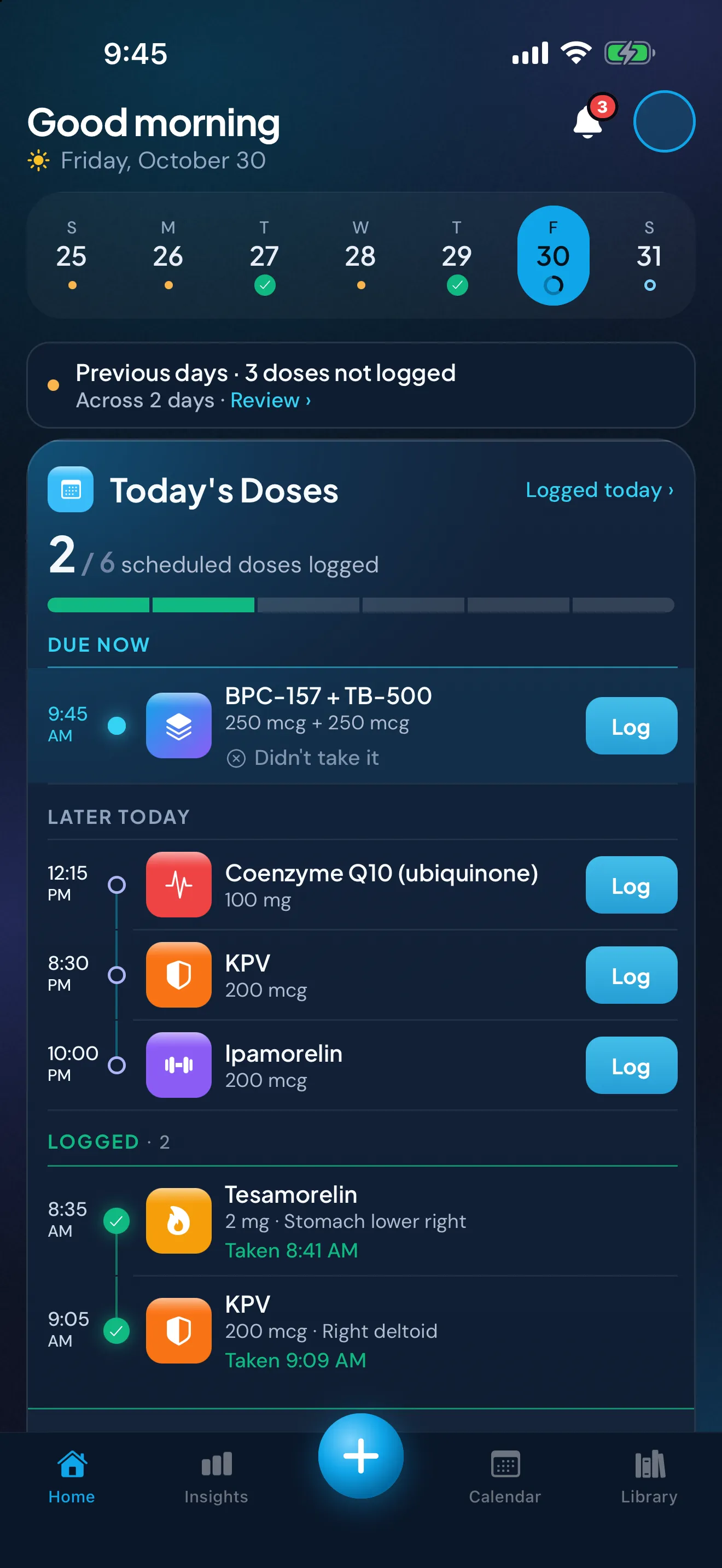
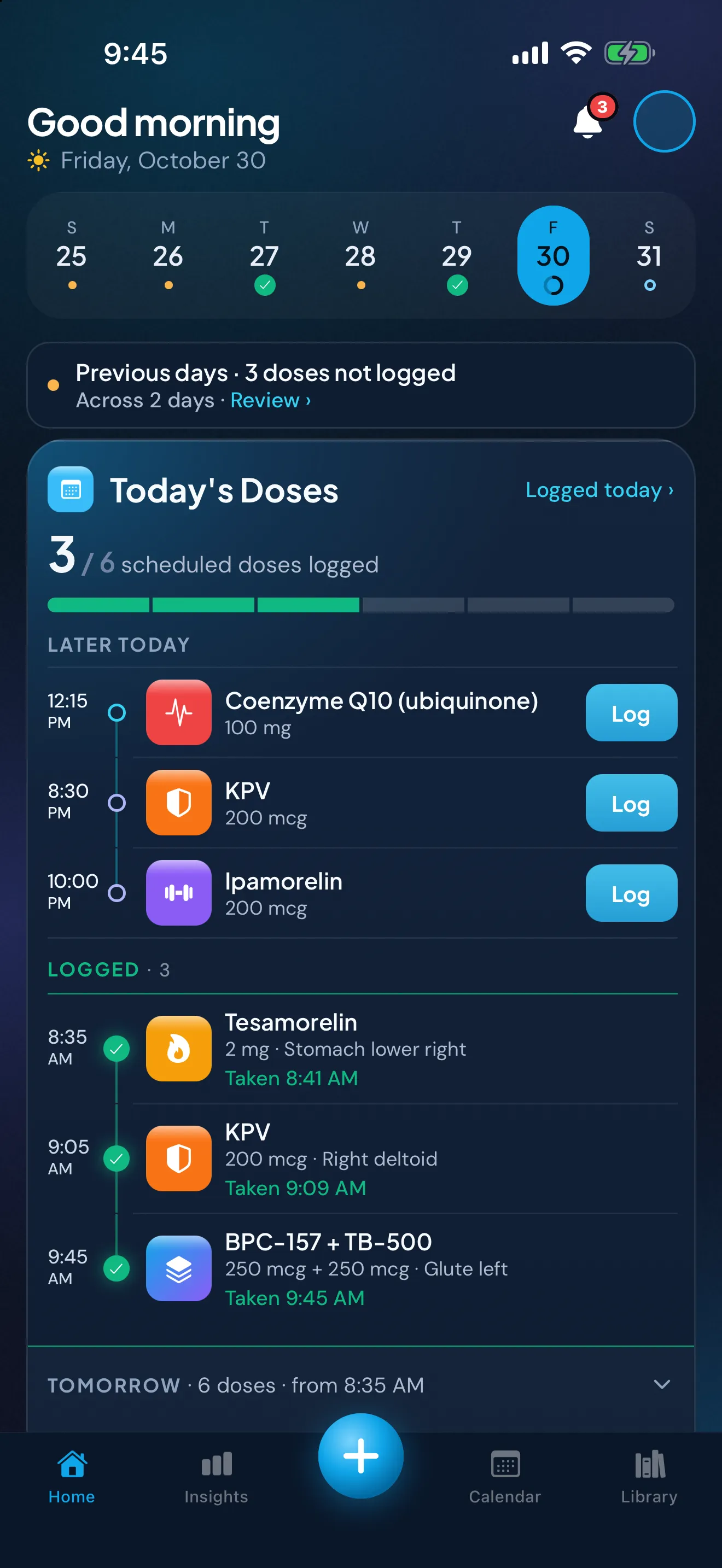
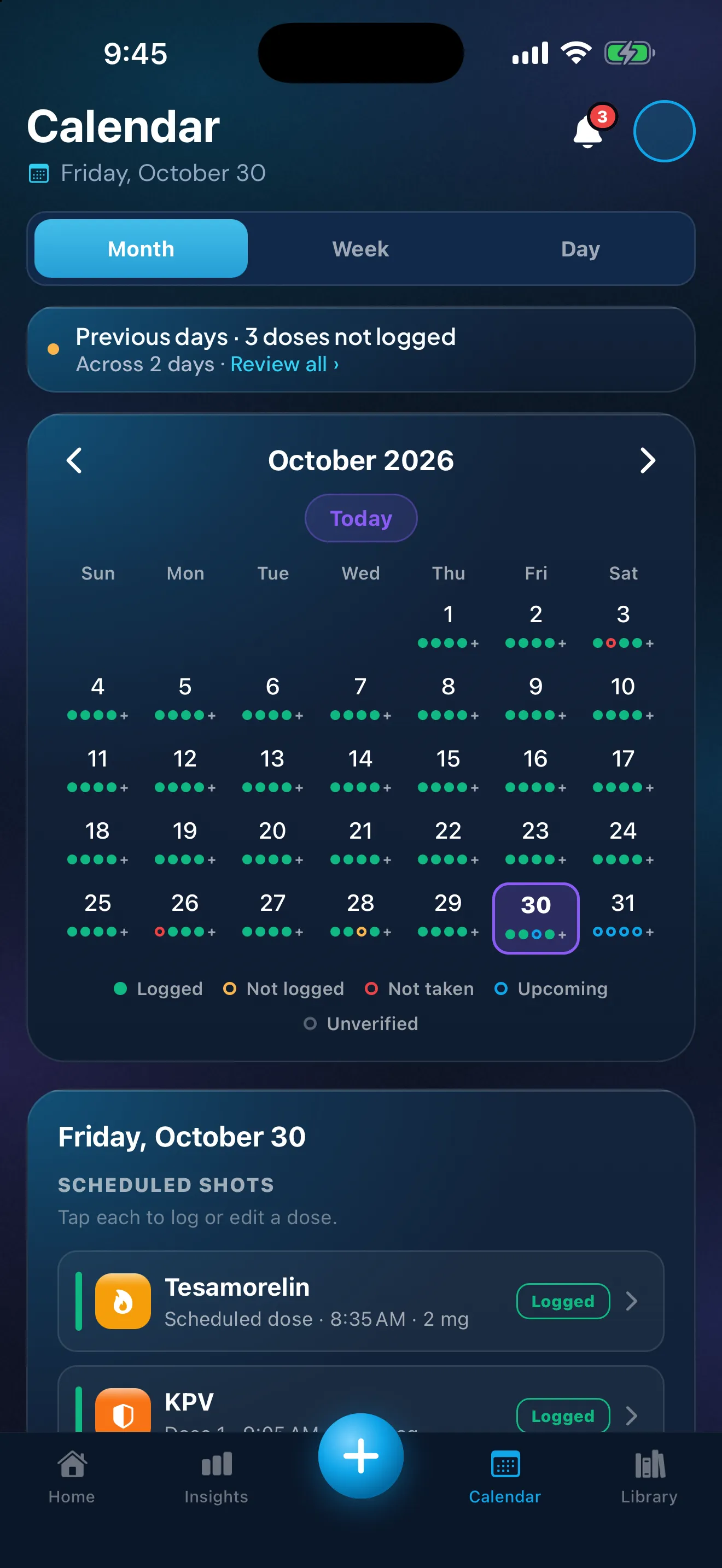
Schedules, reminders, check-ins, weight and injection sites, all kept together and stored on your iPhone. Every screen shows your own records.
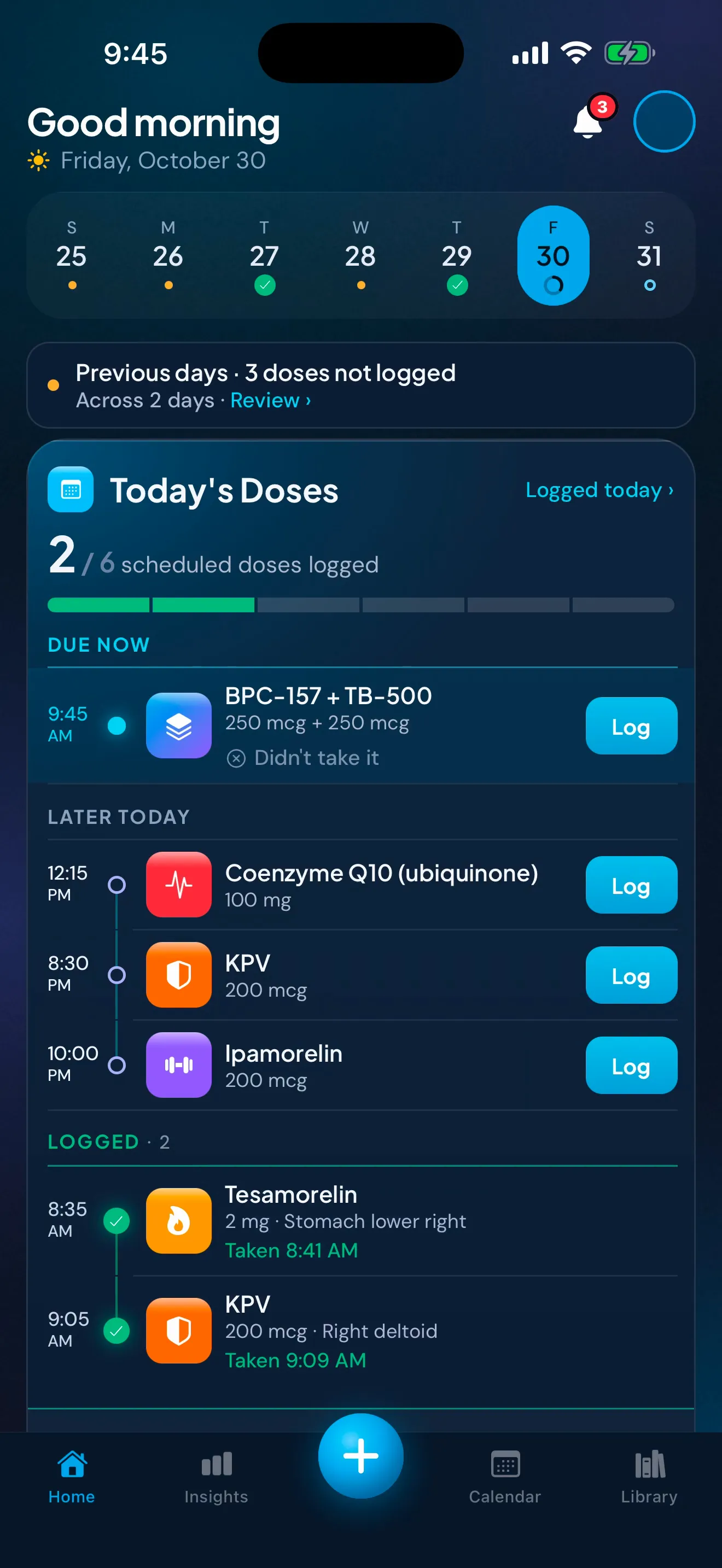
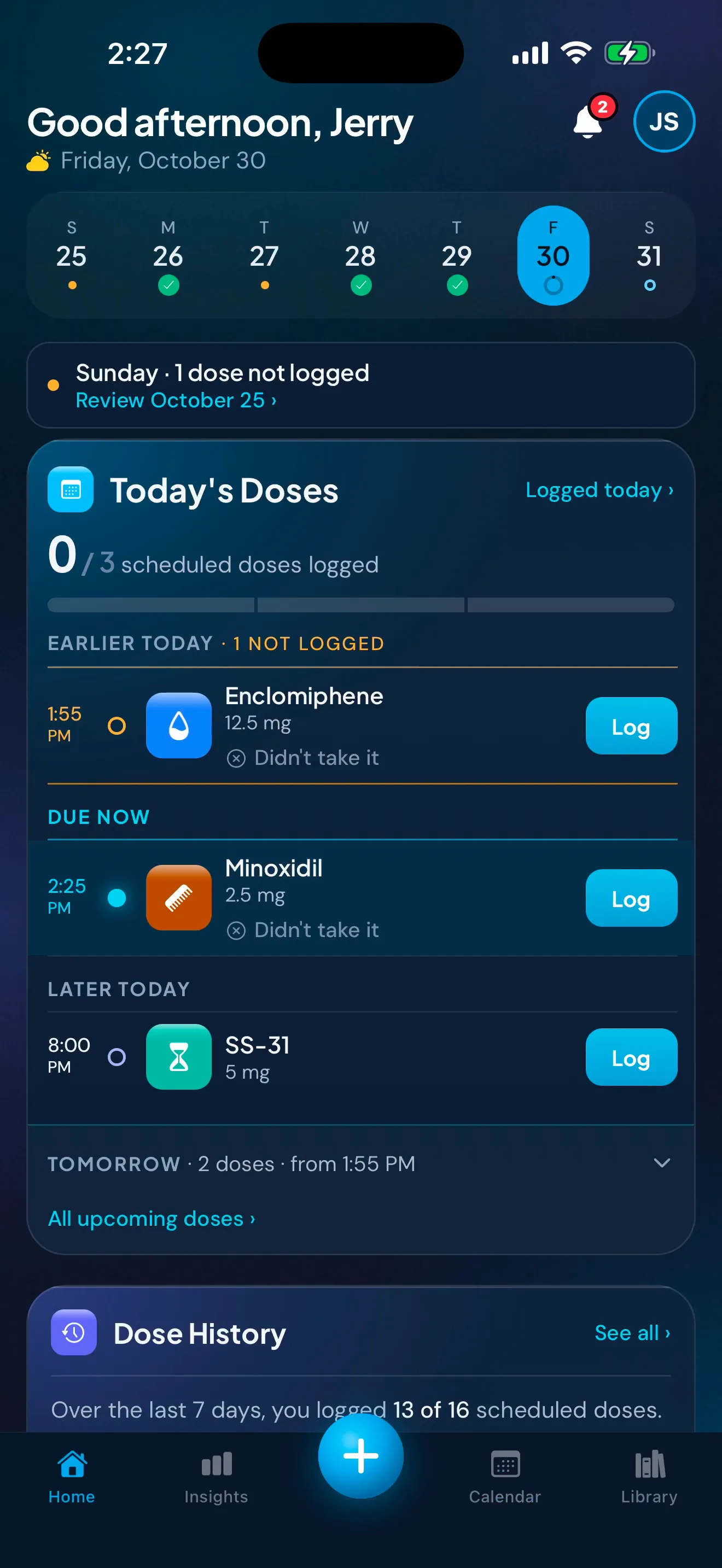
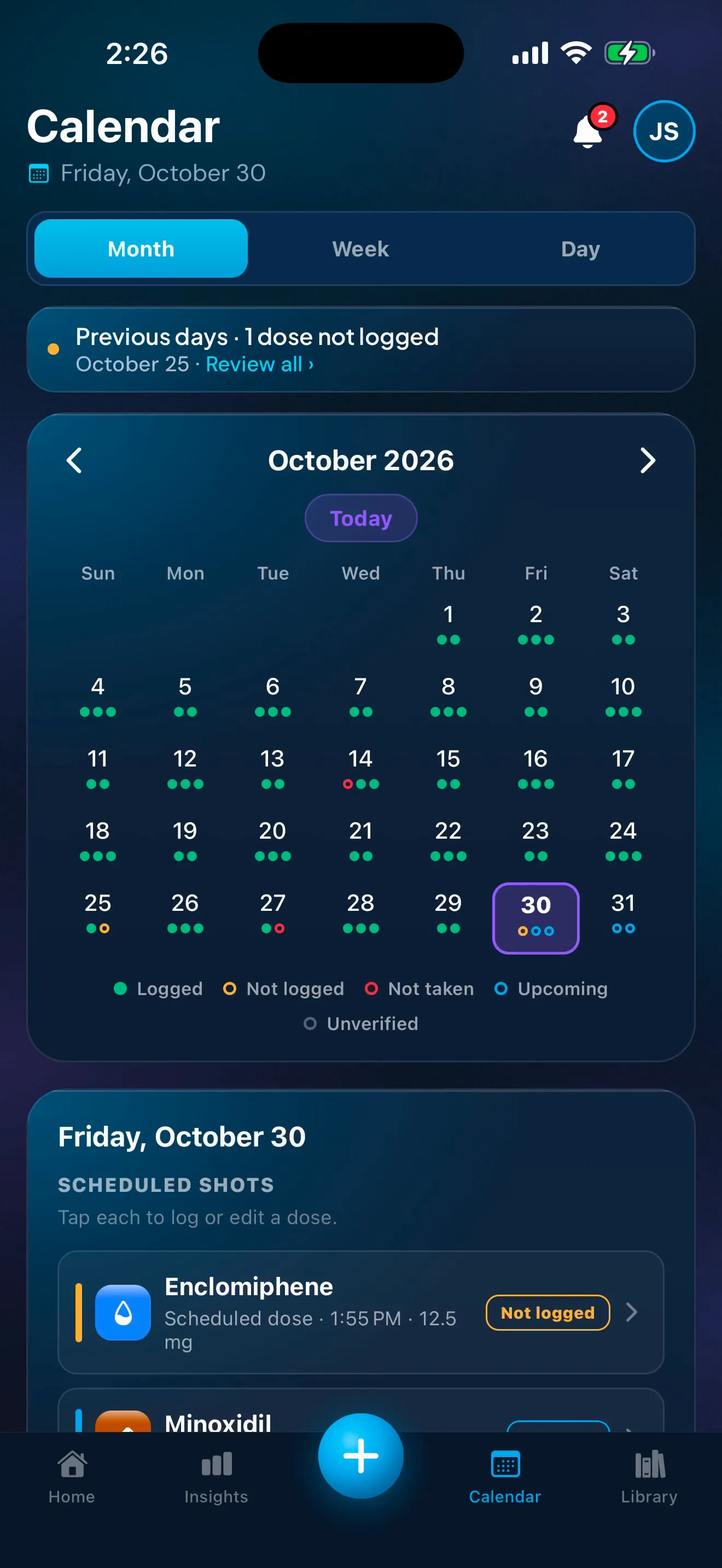
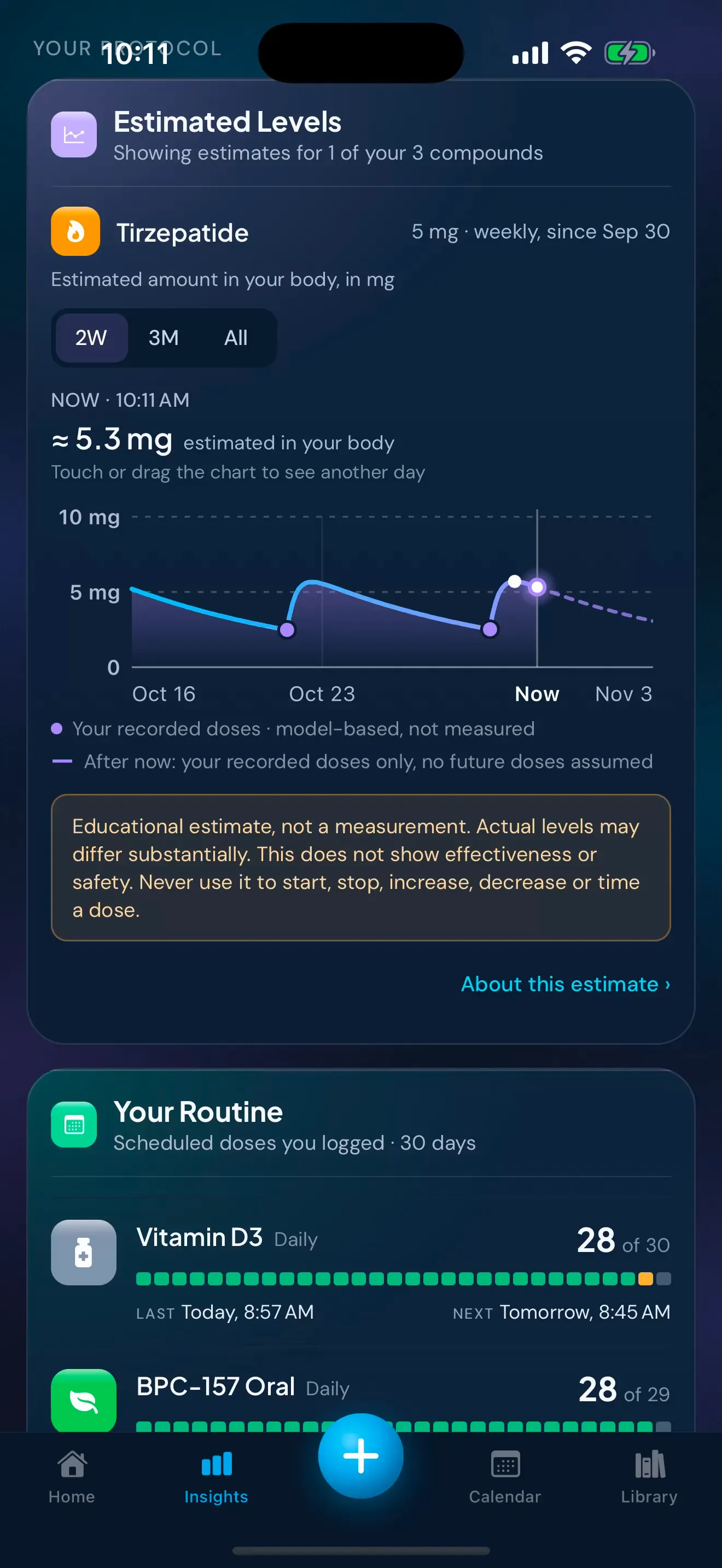
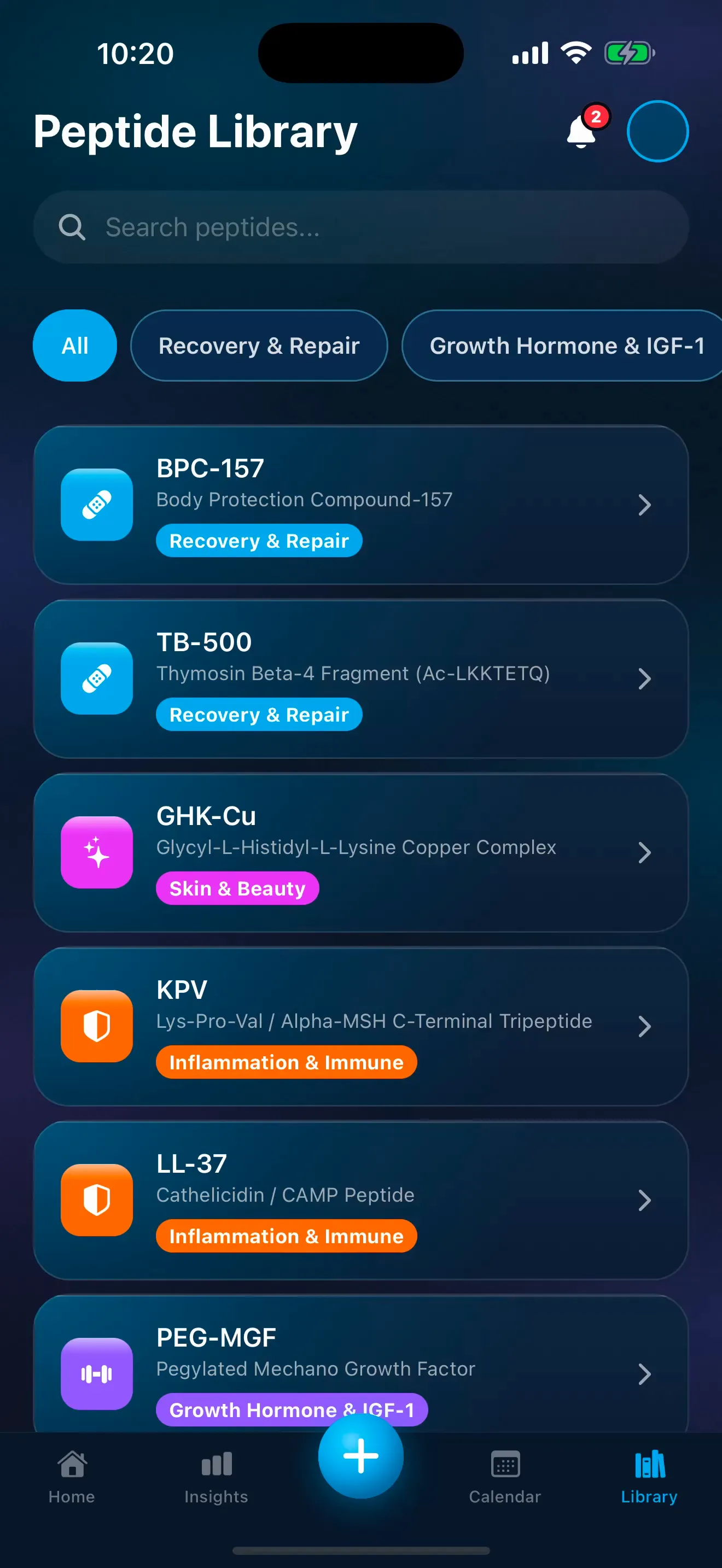
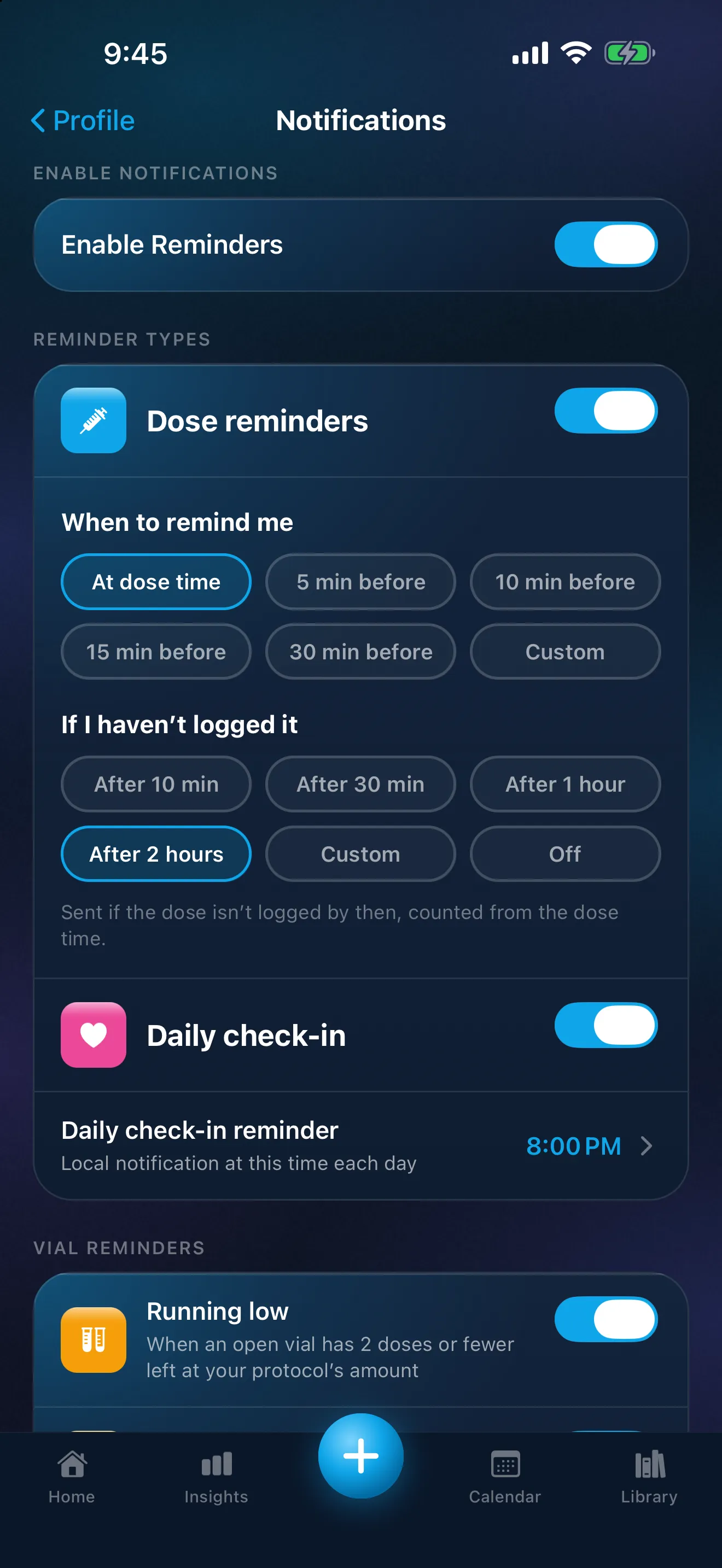
Sample data. The amounts are what a demo person entered, not advice.
Estimated Levels
For semaglutide injections, tirzepatide, dulaglutide or liraglutide, Insights can show Estimated Levels: a modelled estimate of the amount in your body over time, worked out only from the doses you record.
It's an estimate, not a blood level or a measurement. It doesn't show whether a medicine is working or safe, and it's never a guide to when or how much to take.
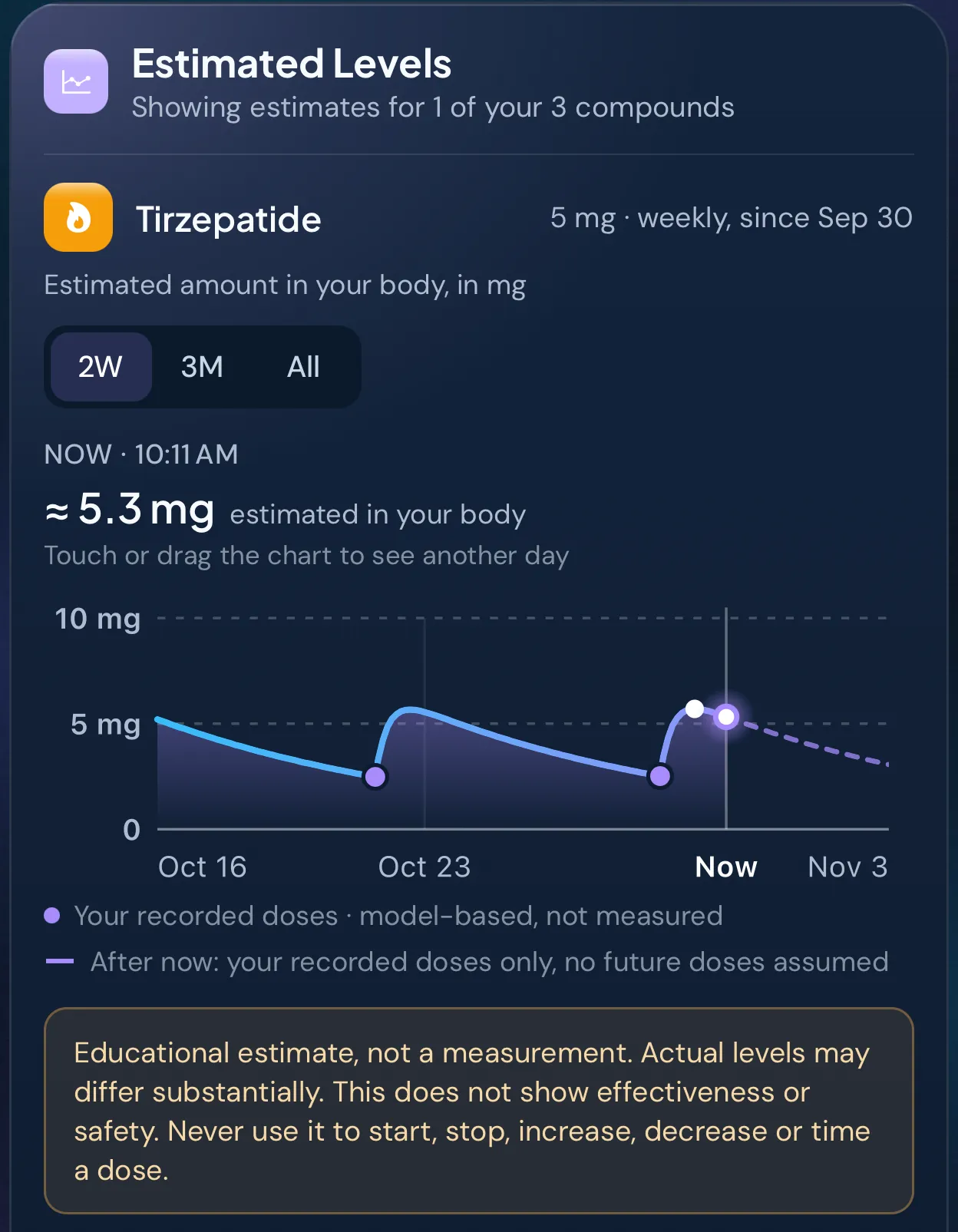
Sample data. The amounts are what a demo person entered, not advice.
Fits your routine, even if you're coming from another app
Set up the schedule you already follow, and log the way you already take things.
- Weekly, set weekdays, daily or twice daily
- A set course length, or no end date
- Blends logged as one dose
- mg or mcg IU where a compound is dosed in it.
Already partway through?
Peptimes doesn't import from other apps or files. Instead, set your start date up to 6 months back and confirm the doses you've already taken, all at once if you like. Your history then starts from that date, and those past doses are saved without an injection site.
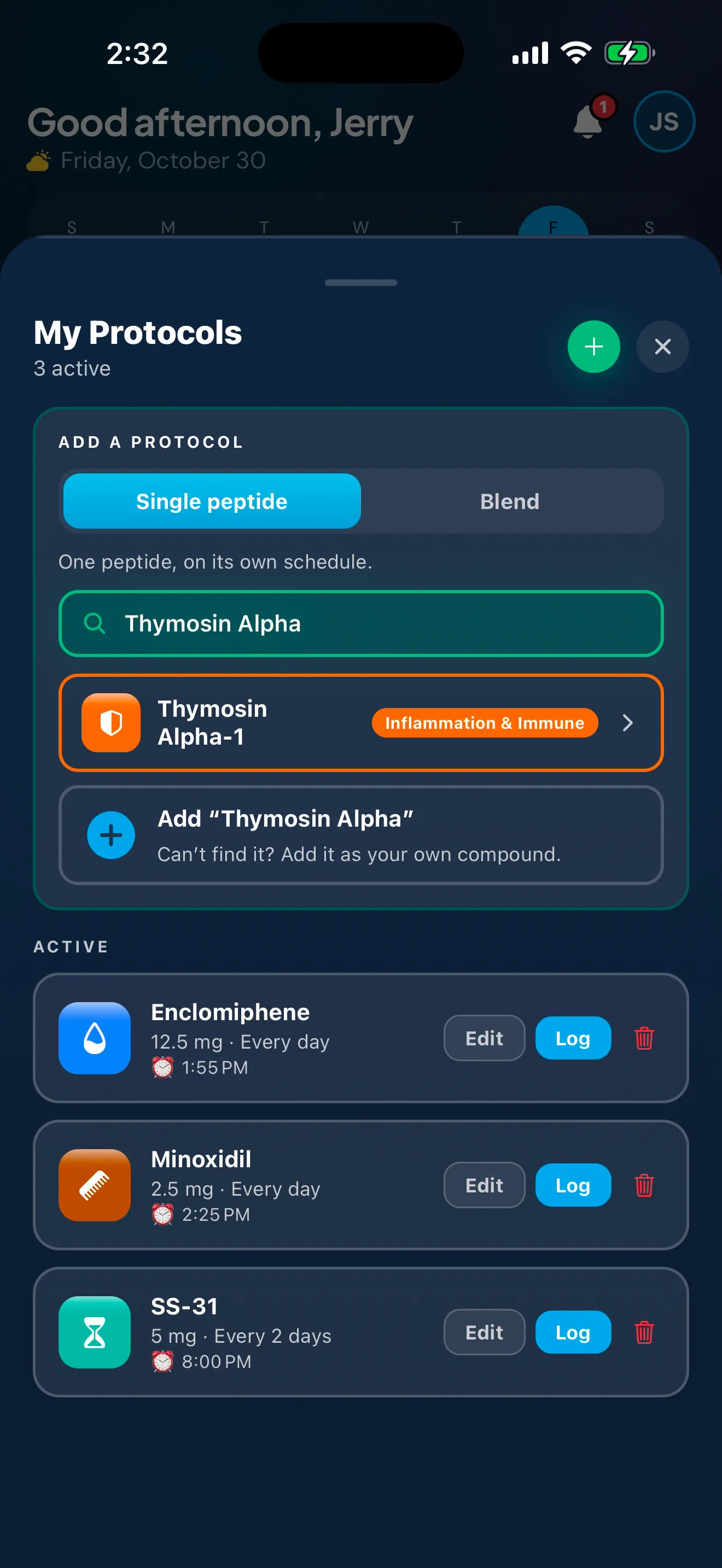
Sample data. The amounts are what a demo person entered, not advice.
Private by design
Your health records are stored on your iPhone.
Your doses, check-ins, weights, measurements and schedules. Your account (email and basic profile) is held by our sign-in provider.
No ads, no analytics.
The app has no analytics, advertising or ad-attribution tools.
Export your records any time.
As CSV or JSON, for yourself or an appointment.
Works with iOS's Require Face ID.
On iOS 18 or later, iOS can lock Peptimes so it needs Face ID, Touch ID or your passcode to open. Peptimes shows you how.
Delete your account in the app.
Your account and the records on this iPhone are deleted at the same time. There's no waiting period.
Crash reports only if you say yes.
Off unless you say yes: technical error details only (the app version, iPhone model, iOS version and where the code failed), never your doses, compounds, measurements or notes.
Discreet reminders say only "You have a reminder", with nothing named.
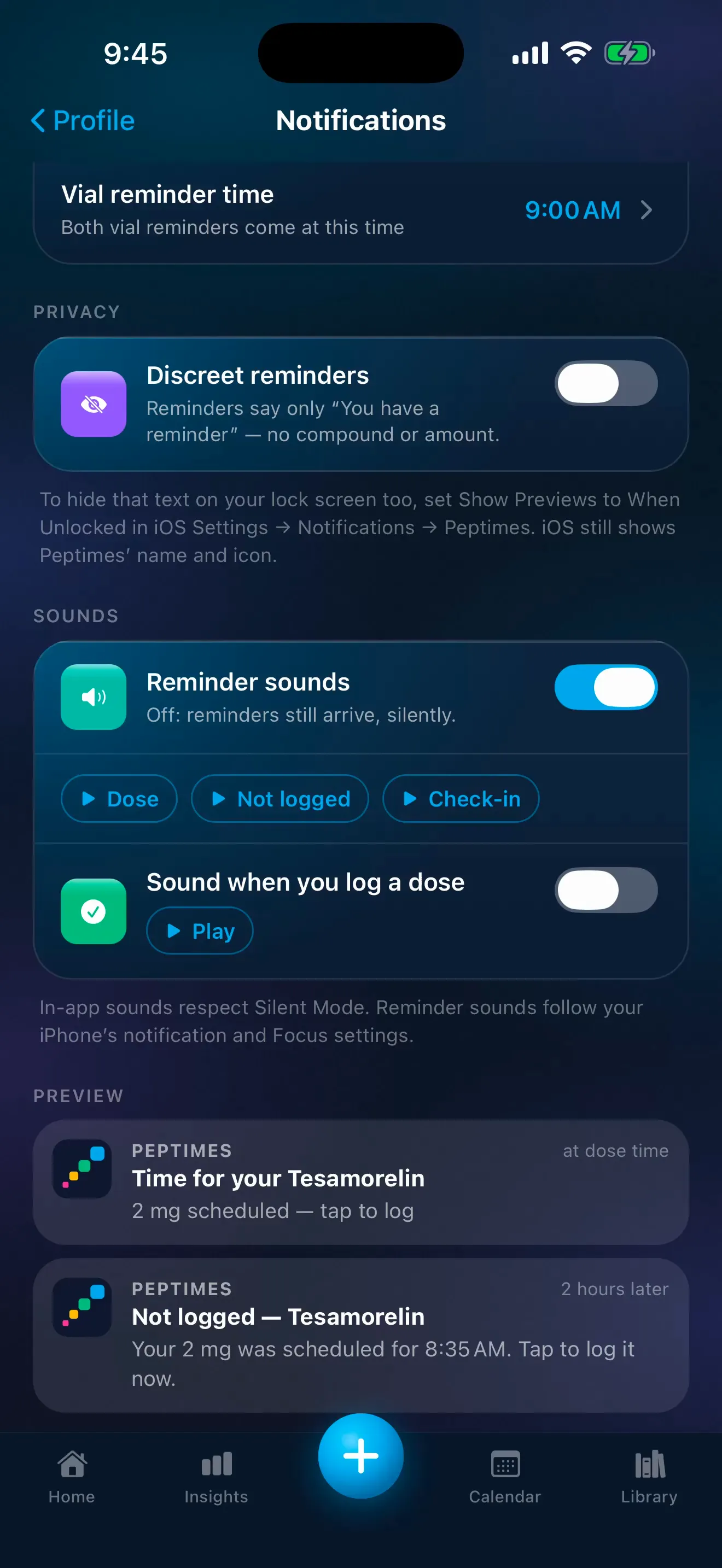
Sample data. The amounts are what a demo person entered, not advice.
On your Home Screen
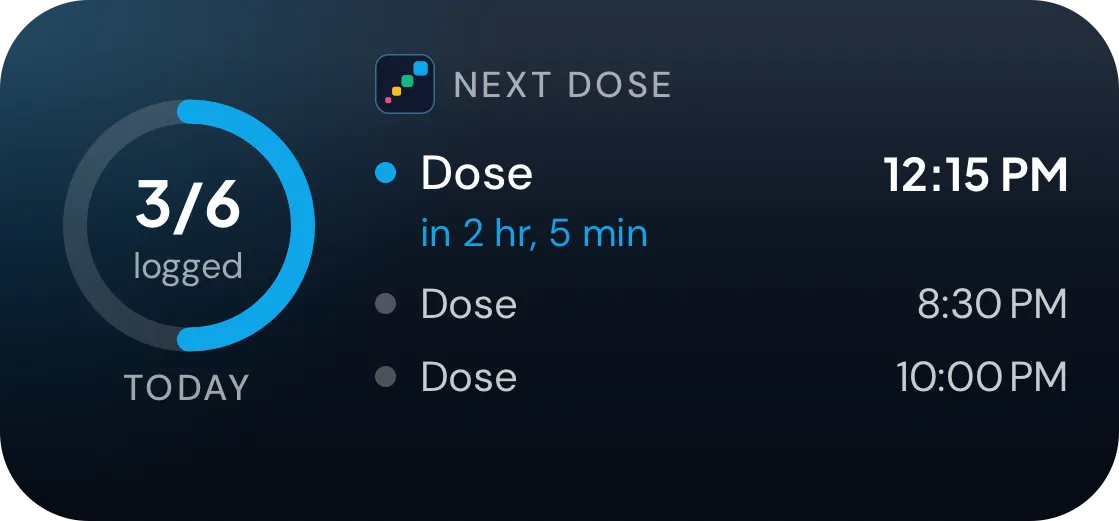
The Peptimes widget puts your next dose and today's progress right on your Home Screen, in small or medium. Tap it to open Peptimes on today.
It's private, too. While your iPhone is locked, it shows nothing, and it never shows an amount. With Discreet reminders on, it says "Dose" instead of names; with them off, names show while your iPhone is unlocked.
Peptimes vs. a notes app or spreadsheet
| A notes app or spreadsheet | Peptimes | |
|---|---|---|
| Reminders at your times | Separate phone alarms | A reminder for each scheduled dose, and a follow-up if it isn't logged |
| Blends | Typed out by hand | Logged as one dose |
| Missed days | Filled in by hand | Review a day and log it all at once |
| Injection sites | Noted by hand, if at all | A body map of where you've injected and how recently |
| Export | Already a file | CSV or JSON |
| Where your records are | Wherever the app or file is kept | Stored on your iPhone |
Plenty of people keep careful records in a notes app or a spreadsheet. This is what a tracker adds.
Built by people who track, for people who track.
We started where most people do: a notes app, a spreadsheet and a few phone alarms. Then we tried the tracking apps, and kept running into the same walls. A blend had to be logged as three separate doses. A twice-a-week schedule didn't fit the options. Missing a day felt like failing. And our health records were sent off to someone else's servers.
So we built the tracker we wanted to use ourselves. Peptimes logs a blend as one dose, follows the schedule you actually keep, lets you catch up on a missed day in seconds, and keeps your health records on your iPhone. It just keeps a careful record, so your history and your schedule are in one place.
Frequently asked questions
Does Peptimes tell me how much to take?
No. You enter the amounts and schedules you already follow, and Peptimes records them. It never suggests an amount. For dosing questions, talk to your prescriber or a licensed clinician.
Is there an Android version or a web app?
No. Peptimes is an iPhone app. There's no Android version and no web app.
What happens after the free trial?
After the 14-day trial, Peptimes needs a subscription. There's no free tier. See pricing.
Can I export my records?
Yes. Export your records as CSV or JSON, for yourself or an appointment. Values appear in your own units, such as lb and ft/in, beside the stored metric ones. Read about exporting your records for an appointment.
Can I find my medicine by its brand name?
Yes. Search by a brand name such as Ozempic or Mounjaro, and you'll find the entry for its active ingredient. Each entry shows its other names, including any brand names, under its own.
I'm switching from another app. Can I add my past doses?
Peptimes doesn't import data from other apps or files. But if you started before you found Peptimes, you can set a schedule's start date up to 6 months back and confirm the doses you've already taken, all at once if you like. Those past doses are saved without an injection site.
Does it work offline?
Yes. Logging, reminders and your history work without a connection, because your health records are stored on your iPhone. Signing in and the help center need the internet.
Is there a Home Screen widget?
Yes. A Home Screen widget, small or medium, shows your next dose and today's progress. It never shows an amount. While your iPhone is locked it shows nothing, and with Discreet reminders on it says "Dose" instead of names; with them off, the name shows while your iPhone is unlocked. Tap it to open Peptimes on today. It needs iOS 17 or later.
What happens when I get a new iPhone?
Your health records are stored on your iPhone, and they may not come across to a new one. Export a copy (CSV or JSON) before you switch.
Is Peptimes for me if my medicine is prescribed?
Yes. Enter the schedule from your prescription, and Peptimes reminds you at those times and keeps a record of each dose that you can export for your appointments. Questions about the medicine itself go to your prescriber.
More questions? Visit Peptimes support.
Planned launch pricing
With a 14-day free trial. After the 14-day trial, Peptimes needs a subscription.
See planned pricingPeptimes is a tracking app. We don't sell peptides.